🛡️ CYBERSECURITY WEEKLY Issue #3 | October 16, 2026
Mike M. — Technical Support Specialist
When Everyday Technology Becomes a Target
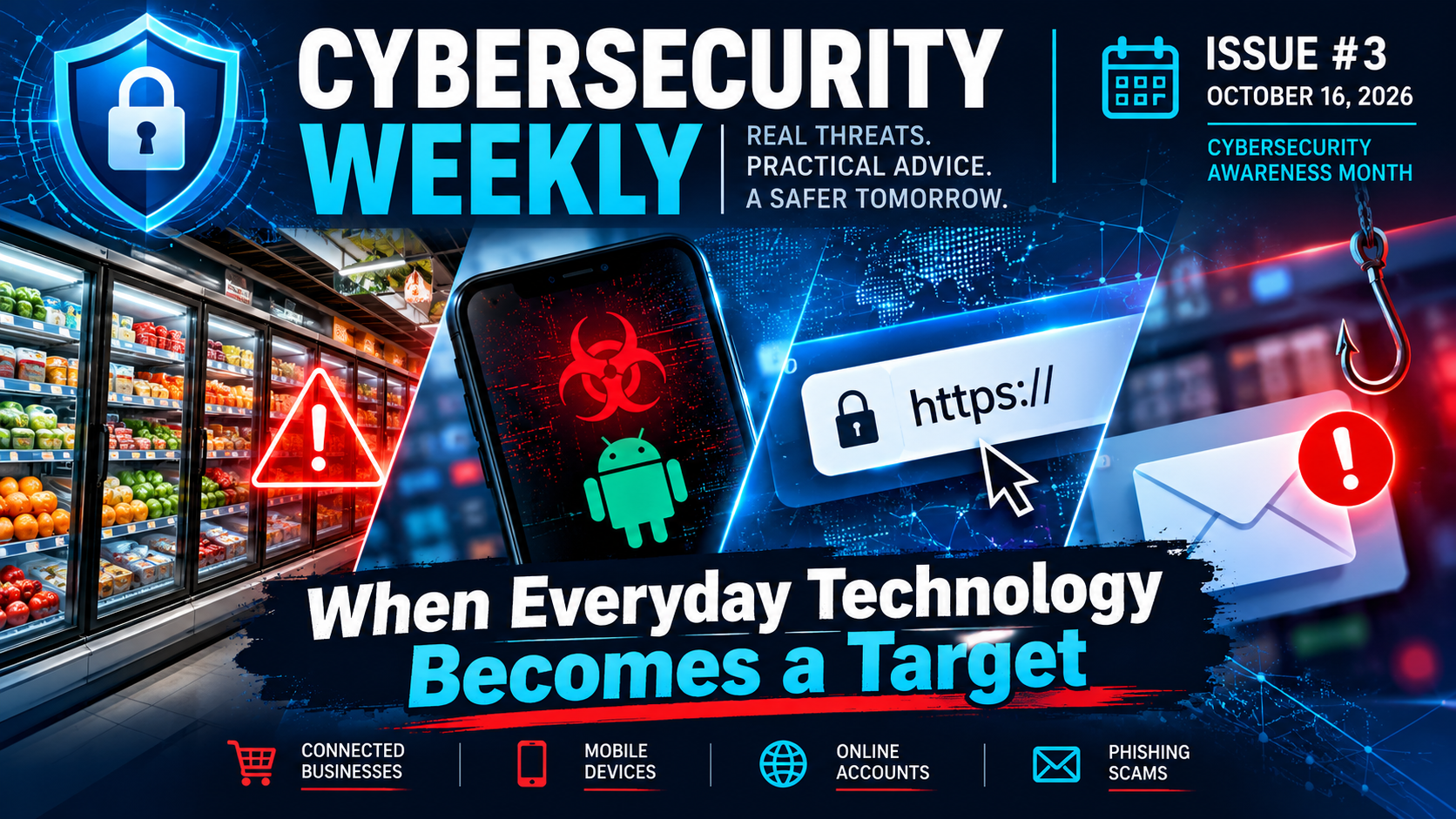
Cybersecurity isn't just about stolen passwords or hacked computers. This week, cyberattacks disrupted grocery-store refrigeration systems, researchers uncovered malware installed on new Android phones, and attackers found a way to obtain security certificates for websites they didn't control.
These incidents reveal something important: technology we depend on every day can carry risks we don't always see.
Here's what happened, why it matters, and what you can do to protect yourself.
🛒 1. When Hackers Target the Grocery Store
In October, attackers remotely interfered with refrigeration systems at hundreds of supermarkets in France, changing temperature settings and triggering defrost functions. The disruption reportedly spoiled food and affected approximately 250 to 350 stores.
Rather than attacking traditional computers, the intruders targeted connected equipment that helps businesses operate.
Why it matters: Refrigerators, security cameras, thermostats, and other connected devices can create cybersecurity risks when their controls aren't adequately protected.
What you can do: Keep smart devices updated, change default passwords, and disable remote access features you don't need. For businesses, connected equipment should be monitored and protected just like computers.
Read more: Associated Press
📱 2. What If Your New Phone Already Had Malware?
Security researchers reported that some low-cost Android phones shipped with malicious software already embedded in their firmware.
The malware could secretly install applications, manipulate advertising activity, and potentially allow attackers to misuse the phone's internet connection.
Because it was embedded in the device's system software, simply uninstalling an app or performing a factory reset might not remove it.
Why it matters: Buying a new device doesn't automatically mean it's secure. The manufacturer's security practices and software-update support matter.
What you can do: Choose devices from manufacturers with established security-update policies, check whether your Android device is Play Protect certified, and be cautious of unfamiliar preinstalled applications.
Read more: The Hacker News
🔒 3. Can You Always Trust a Secure Website?
We've often been told to look for HTTPS or the padlock symbol before entering personal information online.
But what happens when attackers manage to obtain security certificates for websites they don't control?
Google recently disclosed that attackers compromised third-party operators responsible for certain country-code internet domains. This allowed them to manipulate domain records and obtain unauthorized HTTPS certificates for Google and other organizations.
Google worked to revoke the certificates and updated Chrome's protections.
Why it matters: HTTPS means your connection is encrypted. It doesn't automatically prove that a website, message, or business is trustworthy.
What you can do: Keep your browser updated, use official apps or saved bookmarks for important accounts, and avoid signing in through unexpected links. A secure connection is important, but it's only one part of online safety.
Read more: Google Security Blog
🎣 4. Scammers Want You to Panic, Not Think
"Your account has been suspended!"
"Your payment failed!"
"Your photos will be deleted today!"
Sound familiar?
These are examples of messages designed to create urgency and fear. Scammers often impersonate familiar companies, hoping you'll click a link or provide personal information before questioning the message.
Some messages look surprisingly convincing, complete with company logos, account warnings, and countdowns.
Why it matters: Even careful people can be caught off guard when a message appears to threaten something important.
What you can do: Don't click links in unexpected urgent messages. Open the company's official app or website yourself to check your account. If the message appears to come from someone you know, verify it through another trusted method.
Remember: A message demanding immediate action deserves a second look, not an immediate click.
Learn more: FTC: How to Recognize and Avoid Phishing Scams
🔐 Your Cybersecurity Checklist This Week
✅ Install pending updates for your devices, browsers, and applications.
✅ Check whether your phones, computers, and smart devices still receive security updates.
✅ Review unfamiliar applications and disable remote-access features you don't use.
✅ Verify unexpected account warnings or payment requests through official channels.
✅ Check your Windows version under Settings → System → About and make sure it's still supported.
🕰️ This Week in Cyber History
October 21, 2016: When Connected Devices Helped Disrupt the Internet
Ten years ago this coming Wednesday, a massive cyberattack targeted Dyn, a company responsible for helping internet users connect to popular websites.
The attack disrupted access to services including Twitter, Netflix, Reddit, and GitHub.
One of the main culprits was Mirai , malicious software that infected vulnerable internet-connected devices, including cameras and routers. Attackers used these devices together to overwhelm online services with enormous amounts of traffic.
The result? Everyday equipment helped knock major parts of the internet offline.
The lesson, ten years later: Connected devices aren't always harmless simply because they aren't computers. Keeping them updated, changing default credentials, and securing remote access can help prevent them from becoming tools for attackers.
Read more: Dyn incident analysis
Stay Curious. Stay Informed. Stay Secure.
Cybersecurity affects all of us, not just IT professionals. A little awareness, a few good habits, and knowing when to question something can make a meaningful difference.
Sources are linked throughout for readers who want to learn more.
#OnlineSafety #DigitalSafety #SmartDeviceSecurity #CybersecurityAwarenessMonth #CredentialAccess #Phishing #Malware #IncidentResponse
4 reactions · 3 comments
Topics: #cybersecurityawarenessmonth, #phishing, #digitalsafety, #credentialaccess, #incidentresponse, #malware, #onlinesafety, #smartdevicesecurity
Comments
Schomer: Every single one of these incidents points to the exact same structural failure: the industry is still relying on static, perimeter-based assumptions of trust that are completely broken. Look at the technical reality here. Embedded firmware malware sits at a privileged execution plane where traditional security controls can't touch it. Upstream domain registry compromises prove that you can have a
Mike M.: Great points, Schomer! The common thread really is how much trust we place in systems and devices without always questioning the security behind them. Zero Trust is an important part of that conversation, although protecting firmware, connected equipment, and internet infrastructure each presents its own challenges. That's one of the goals of this newsletter: helping everyday users recognize how t
Schomer: Spot on, Mike. You hit the nail on the head regarding the unique challenges of protecting firmware and internet infrastructure. Traditional security models assume validation happens post-authentication, but as we’ve seen with recent edge device disclosures, an unauthenticated bypass completely invalidates that static perimeter logic. Zero Trust is a vital philosophy, but it has to move all the way