Introducing Trusted Mailbox: Take Control of Who Can Reach You
Maudrux A. — Directeur Général France | Le futur du recrutement | Cyberr.ai
Reshared from a post by Laurent H.
A new premium feature that puts your privacy and peace of mind first.
We built this platform on the belief that meaningful connections start with trust. But trust isn't just about who you choose to follow or connect with, it's also about who can reach you. Today, we're introducing Trusted Mailbox , a new feature for Premium and Founding members that gives you full control over your direct message inbox.
The Problem with Open Inboxes
As our community grows, so does the noise. Unsolicited messages, spam, and approaches from people you've never interacted with can turn your inbox into something you dread opening. For many of our members especially those with a larger public presence, this has become a real friction point.
We heard you.
What Is Trusted Mailbox?
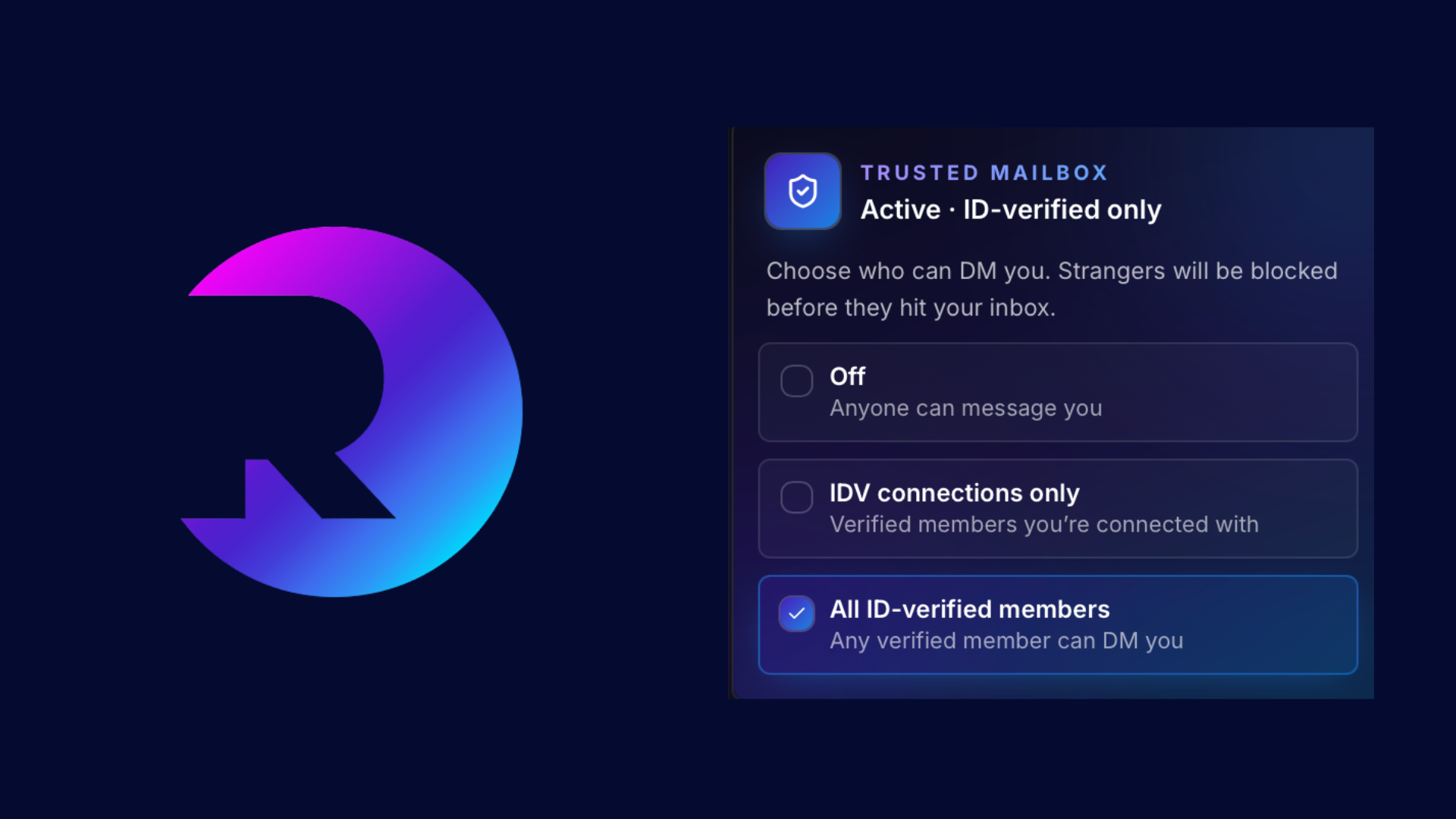
Trusted Mailbox lets you restrict your DM inbox so that only ID-verified people can contact you. It's a simple toggle in your privacy settings, with two levels of control:
Option 1 — Only allow IDV connections to contact me The most private setting. Only people who are both ID-verified and already connected with you can send you a direct message. Everyone else is politely turned away before they can reach your inbox.
Option 2 — Only allow IDV members to contact me A broader setting that allows any ID-verified member on the platform to contact you not just your existing connections. This gives you openness to new conversations while still filtering out unverified accounts.
Why ID Verification?
Identity verification is one of the most powerful signals of trust on any platform. Verified members have confirmed who they are which means they're accountable. Spam, harassment, and bad-faith approaches become far less likely when someone's real identity is on the line.
By tying Trusted Mailbox to IDV status, we're not just filtering messages, we're filtering intent.
How It Works for Senders
If someone who doesn't meet your Trusted Mailbox criteria tries to send you a message, they'll see a clear, respectful notice:
"This member only accepts messages from ID-verified connections."
No guessing, no confusion. They know what they need to do if they want to reach you: get verified, or build a connection first.
Who Gets Access?
Trusted Mailbox is available exclusively to Premium and Founding members . It's one of several privacy and control features we're building specifically for our most committed community members.
How to Enable It
There are two ways to turn on Trusted Mailbox:
From your messaging inbox: Tap the shield icon directly in the messaging box for a quick one-tap setup.
From Settings:
Go to Settings → Privacy & Messaging
Scroll to the Trusted Mailbox section
Toggle the feature on
Choose your preferred mode: IDV connections only or All IDV members
Save — your inbox is now protected
You can change or disable this setting at any time.
A Foundation for Safer Conversations
Trusted Mailbox is part of a broader commitment to building a platform where every interaction feels intentional. We believe that when people know who they're talking to and feel in control of who can talk to them, conversations become richer, more authentic, and more valuable.
This is just the beginning. We're continuing to invest in tools that put trust and privacy at the centre of how you connect.
Trusted Mailbox is rolling out to all Premium and Founding members now.
Have feedback? We'd love to hear it.
To Our Community
We told you we wouldn't rest and we meant it.
Trusted Mailbox is just the latest proof of that promise. When we said our Premium and Founding members would be spoiled, we weren't throwing around words. We were making a commitment. Every week, every sprint, every update — we are building for you.
#trustedmailbox #premium #cyberr
0 reactions · 0 comments